
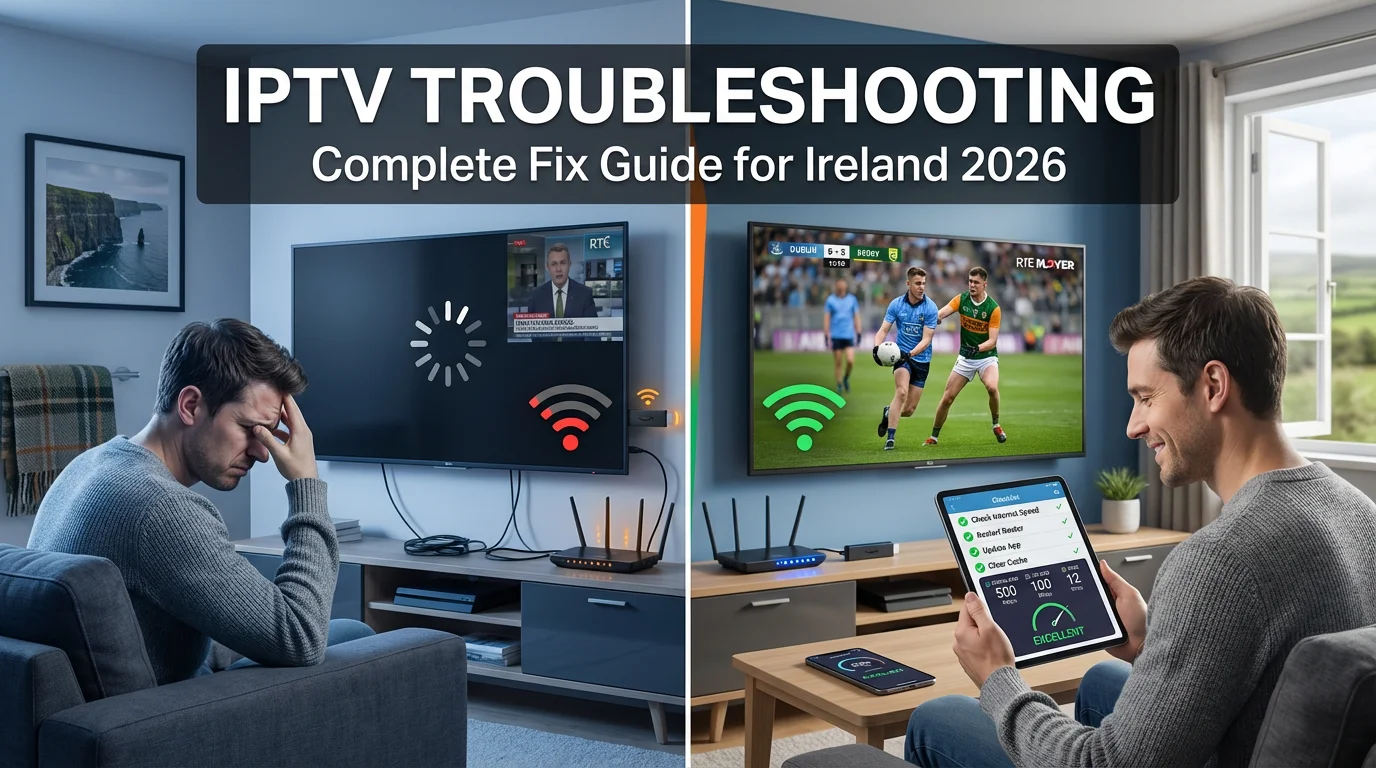
Picture this: You’ve settled in for the Champions League final, grabbed your drink, and just as the whistle blows, your IPTV stream freezes. Or worse, it’s Saturday night, the family’s ready for a movie, and you’re stuck staring at a buffering circle. Sound familiar? For thousands of Irish households using IPTV in 2026, technical issues can turn entertainment into frustration.
The good news? Most IPTV problems have simple fixes that don’t require a tech degree. Whether you’re streaming on Eir fibre, Virgin Media broadband, or Vodafone’s network, IPTV troubleshooting is easier than you think once you know what to look for.
This guide walks you through every common IPTV issue Irish viewers face, from buffering and freezing to app crashes and audio sync problems. You’ll learn practical fixes, preventive steps, and when to contact your provider. By the end, you’ll have the confidence to solve 90% of IPTV problems yourself, saving time, money, and plenty of headaches.
What Is IPTV Troubleshooting and Why It Matters in Ireland?
IPTV troubleshooting is the process of identifying and fixing technical problems that prevent your internet-based TV service from working properly. Unlike traditional satellite or cable TV that rarely glitch, IPTV relies entirely on your home internet connection and streaming devices, which means more variables can go wrong.
In Ireland, where IPTV adoption has surged in 2026, understanding troubleshooting basics has become essential. Your IPTV stream travels through multiple points: from the provider’s servers, through your ISP’s network (Eir, Virgin Media, Vodafone, or Sky Ireland), into your router, and finally to your device. A problem at any stage causes issues.
Common IPTV problems Irish users face include buffering during peak hours (especially 7-10 PM), app crashes on Amazon Firesticks, audio being out of sync on sports matches, channels failing to load, and complete service outages. The root causes vary wildly: sometimes it’s your 15-megabit connection struggling with 4K streams, other times it’s a dodgy IPTV provider’s overloaded servers, or simply your router needing a restart.
The complexity increases because Irish homes now run multiple devices simultaneously. Dad’s watching Premier League in the living room, kids are streaming cartoons upstairs, and someone’s on a work video call. This stretches broadband capacity and creates bottlenecks.
Effective IPTV troubleshooting saves you money on unnecessary tech support calls, prevents you from ditching a perfectly good service out of frustration, and keeps your household entertainment running smoothly. In a country where broadband speeds vary dramatically between Dublin fibre users and rural areas still on copper lines, knowing how to diagnose and fix issues yourself is invaluable.
Key Benefits and Risks of IPTV Troubleshooting for Irish Viewers
Main Advantages for Irish Users
Learning IPTV troubleshooting skills delivers genuine value for Irish households. First, you gain independence from provider support, which can be slow or non-existent with grey-market services. When buffering hits during a crucial GAA match, you can fix it in minutes rather than missing half the game waiting for help.
Second, troubleshooting helps you identify whether problems stem from your setup or the provider. This knowledge is powerful when deciding whether to renew subscriptions or switch services. If you discover constant issues trace back to the provider’s overloaded servers rather than your Virgin Media connection, you’ll make smarter choices.
Third, you’ll save substantial money. Many Irish users pay technicians €50-100 to “fix” IPTV problems that needed nothing more than a router restart or app cache clear. Over a year, troubleshooting skills easily save €200-300 in unnecessary service calls.
Finally, understanding IPTV service troubleshooting improves your overall streaming experience. You’ll optimise settings, upgrade equipment strategically, and prevent problems before they happen rather than constantly reacting to crises.
Main Risks and What to Watch Out For
However, IPTV troubleshooting has limitations and risks you must understand. The biggest issue is that some problems genuinely aren’t fixable on your end. If your IPTV provider uses unstable servers or constantly changes URLs to avoid shutdowns, no amount of home troubleshooting will create reliability. Irish users often waste hours “fixing” problems that actually require switching to a better provider.
Legal grey areas complicate things too. Many IPTV services operate in questionable legal territory, and their support is deliberately vague about technical details. You might struggle to troubleshoot effectively because the provider won’t reveal how their system actually works or where servers are located.
There’s also the risk of making things worse. Inexperienced users sometimes change router settings they don’t understand, install dodgy “fix” apps that contain malware, or factory-reset devices without backing up important data. Always research fixes from reputable sources before attempting them.
Privacy concerns matter too. Some IPTV troubleshooting guides recommend disabling security features or installing unverified apps. Never compromise your home network security to fix buffering.
Finally, Irish broadband infrastructure itself limits what’s possible. If you’re on a 10-megabit rural connection, no troubleshooting will deliver stable 4K streams. Understanding your connection’s genuine limits prevents endless frustration chasing impossible performance.
Core Criteria to Evaluate Any IPTV Service for IPTV Troubleshooting
Provider Reliability and Support Quality
The single biggest factor affecting how much IPTV troubleshooting you’ll need is provider quality. Premium services invest in stable servers, content delivery networks, and redundancy. Budget providers often oversell capacity, leading to constant issues during peak times.
Evaluate providers based on their support responsiveness. Do they offer live chat, email tickets, or community forums? Grey-market services frequently provide zero official support, leaving you reliant on Reddit threads and guesswork. Legal services like certain sports packages typically offer proper customer service.
Check server locations too. Providers using European servers generally deliver better performance to Ireland than those routing through Asia or North America. Lower latency means fewer buffering issues and faster channel switching.
- Look for providers offering status pages showing current outages
- Test support responsiveness before committing to long subscriptions
- Read Irish user reviews specifically about reliability
- Ask about server locations and content delivery infrastructure
- Verify they offer trials so you can test before the full commitment
Your Internet Connection Quality
Your broadband is the foundation everything else sits on. For effective IPTV troubleshooting, you need to understand your connection’s capabilities and limitations. Eir fibre users in Dublin might enjoy 500-megabit downloads, while rural Vodafone customers struggle with 15 megabits on good days.
Minimum speeds matter: SD streams need 3-5 Mbps, HD requires 5-10 Mbps, and 4K demands 25+ Mbps. But that’s per stream. A family streaming on three devices simultaneously needs triple those figures, plus overhead for other internet usage.
Upload speeds affect two-way features like catch-up TV requests and EPG data updates. Connection stability beats raw speed for IPTV. A rock-solid 30-megabit line outperforms an unreliable 100-megabit connection that drops frequently.
- Test your actual speeds using Speedtest.net during peak hours (7-10 PM)
- Check if your ISP throttles video streaming (Virgin Media has been reported doing this)
- Verify you’re getting speeds close to what you pay for
- Consider upgrading if you’re constantly below 20 Mbps for HD streaming
- Use wired Ethernet connections for devices whenever possible
Device Capabilities and Compatibility
Your streaming device massively impacts troubleshooting frequency. Amazon Firesticks are hugely popular in Ireland but the basic €30 model struggles with heavy apps and 4K streams. Older Android boxes with 1GB RAM crash constantly under load.
Modern Smart TVs from Samsung, LG, and Sony often have excellent built-in IPTV app support, reducing compatibility issues. However, budget brands may lack processing power or run outdated Android TV versions that can’t handle newer apps.
Storage space matters too. IPTV apps cache data, and full storage causes crashes and performance degradation. Devices with 8GB storage fill up quickly compared to 16GB+ options.
- Prefer devices with at least 2GB RAM for smooth IPTV performance
- Keep 2-3GB storage free for app caches and updates
- Update device firmware regularly to fix known bugs
- Research specific IPTV app compatibility before buying devices
- Consider dedicated streaming boxes over older Smart TVs for better performance
Network Equipment and Home Setup
Your router is often the forgotten troubleshooting factor. Irish ISP-provided routers vary wildly in quality. Eir’s latest models are generally good, but older Virgin Media SuperHubs have well-documented WiFi issues. Budget routers struggle when multiple devices stream simultaneously.
WiFi congestion is severe in Irish housing estates where every home runs 2.4GHz networks. The 5GHz band offers better performance but shorter range. Physical obstacles matter too—thick Irish cottage walls murder WiFi signals.
Position matters enormously. A router tucked behind the TV cabinet in a corner delivers terrible coverage. Central, elevated positions on upper floors maximise signal reach.
- Upgrade to a modern dual-band router if using ISP’s basic model
- Position routers centrally and elevated for best coverage
- Use 5GHz WiFi for nearby devices, 2.4GHz for distant ones
- Consider mesh systems for larger Irish homes with thick walls
- Restart your router weekly to clear accumulated connection issues
App and Software Configuration
IPTV apps themselves are common trouble sources. Poorly coded apps leak memory, cache excessively, and crash unexpectedly. Popular apps like TiviMate, IPTV Smarters, and Perfect Player each have quirks requiring specific troubleshooting approaches.
Settings within apps affect performance dramatically. Buffer sizes, hardware acceleration options, and decoder choices can transform a unwatchable stuttering mess into smooth playback. But wrong settings make things worse.
App updates sometimes introduce new bugs while fixing old ones. Many Irish users have experienced previously stable IPTV apps becoming unreliable after updates, requiring downgrades to older versions.
- Research optimal app settings for your specific device model
- Clear app cache weekly to prevent performance degradation
- Don’t auto-update apps—wait for user reports before updating
- Keep alternative apps installed as backups
- Document working settings so you can restore them after resets
Best Types of IPTV Plans or Providers for IPTV Troubleshooting in Ireland (2026)
Premium Stable Provider (Minimal Troubleshooting Needed)
These are the gold standard for Irish users who value their time over saving every euro. Premium providers invest heavily in infrastructure, offering 99%+ uptime, fast channel switching, and rarely requiring IPTV troubleshooting. They typically charge €15-25 monthly.
Content libraries include all major UK/Irish channels (RTÉ, TG4, Virgin Media TV, BBC, ITV), comprehensive sports (Sky Sports, BT Sport, Premier Sports), and thousands of international channels. Streams are genuine 1080p or 4K with minimal compression, delivered through multiple server locations including Ireland or UK for low latency.
These providers offer professional support: live chat responding within minutes, detailed setup guides for every device, and proactive communication about planned maintenance. They provide legal-looking subscriptions with proper invoicing, though legal status remains grey for some content.
Best for: Irish families wanting reliability above all, professionals with limited time for tech fiddling, anyone streaming sports where buffering during crucial moments is unacceptable, and users willing to pay more for peace of mind.
Pros:
- Exceptional uptime and stream stability
- Fast, knowledgeable customer support
- Clean, well-maintained apps
- Multiple backup servers prevent outages
- Regular updates and improvements
Cons:
- Higher monthly costs (€15-25)
- May still face occasional ISP throttling issues
- Overkill if you only watch a few channels
- Some require longer minimum subscriptions
Test this type of plan with a 24-hour trial before committing to understand if the premium price delivers value for your specific needs.
Budget Value Provider (Moderate Troubleshooting)
Budget providers deliver decent service at €8-12 monthly, sitting in the sweet spot for many Irish households. Expect good channel selection and generally stable streams, but with more frequent minor issues requiring basic IPTV troubleshooting skills.
These services typically offer 2,000-5,000 channels including Irish, UK, and international content, plus sports and movies. Quality ranges from SD to 1080p, with 4K being hit-or-miss. They maintain adequate but not excessive server capacity, meaning peak-time congestion happens occasionally.
Support is slower—expect email responses within 24 hours rather than instant chat. Documentation is decent but not comprehensive. You’ll need to handle basic troubleshooting yourself using online forums and guides like this one.
Best for: Cost-conscious Irish families comfortable with occasional technical fiddling, users with good broadband who can handle minor buffering, people who primarily watch during off-peak hours, and those wanting good value without rock-bottom pricing.
Pros:
- Excellent value at €8-12 monthly
- Solid channel selection covers most needs
- Adequate stability for casual viewing
- Usually offer short trials or monthly plans
- Active user communities share troubleshooting tips
Cons:
- Peak-time buffering happens occasionally
- Slower support response times
- May need manual server switching during issues
- Apps sometimes less polished than premium options
Test this type of plan with a 24-hour trial before committing, specifically during peak evening hours when your household actually watches TV.
Stability-First Technical Provider (Advanced Control)
These providers cater to tech-savvy Irish users who want maximum control over their IPTV experience. Pricing sits around €10-18 monthly. They provide extensive customization options, detailed statistics, and advanced features that minimize IPTV troubleshooting if you configure everything correctly.
Features include multiple stream URLs per channel (letting you switch between servers instantly), detailed EPG with catch-up on major channels, API access for custom apps, and granular quality controls. They’re transparent about server locations and network status.
These services assume technical competence. Setup requires configuring M3U playlists, understanding codecs, and optimizing app settings. But once dialed in, they’re incredibly stable because you control failover options and can avoid problematic servers.
Best for: IT professionals and tech enthusiasts in Ireland, users who’ve mastered basic IPTV and want more control, people experiencing persistent issues with simpler services, and those who enjoy optimizing systems for peak performance.
Pros:
- Maximum configurability and control
- Multiple server options per channel
- Transparent technical information
- Excellent for learning advanced troubleshooting
- Often very stable once properly configured
Cons:
- Steeper learning curve
- Initial setup takes time and research
- Overwhelming for non-technical users
- Support assumes you understand basics
Test this type of plan with a 24-hour trial before committing, and join their community forums to gauge the learning curve and support quality.
Family-Safe Simple Provider (Beginner-Friendly)
These providers prioritize simplicity and safety, perfect for less technical Irish households. Pricing ranges €12-20 monthly. They pre-configure everything, offer clean interfaces, include parental controls, and minimize situations requiring IPTV troubleshooting through careful quality control.
Channel selections are curated rather than overwhelming—typically 500-1,500 channels focusing on popular Irish, UK, and family content rather than obscure international stations. Apps are dead-simple: just install, enter a code, and watch. No M3U files, no server selection, no technical jargon.
These services heavily filter content, making them suitable for homes with children. Adult content is completely removed or locked behind robust parental PINs. Support is patient and explains everything in plain English.
Best for: Parents wanting safe, simple IPTV for family viewing, older Irish users uncomfortable with technology, households where primary user isn’t tech-savvy, and anyone prioritizing ease of use over channel quantity or cost savings.
Pros:
- Extremely easy setup and use
- Strong parental controls and content filtering
- Patient, beginner-friendly support
- Curated channel lists prevent overwhelming choice
- Stable performance through conservative server loading
Cons:
- Smaller channel selection
- Higher cost for fewer channels
- Less flexibility and customization
- May lack niche international content
Test this type of plan with a 24-hour trial before committing, having a less technical family member try the setup process to verify it truly is beginner-friendly.
Practical Checklists Related to IPTV Troubleshooting
Essential Quick-Fix Checklist
When your IPTV stops working, run through this checklist before panicking or contacting support. These simple steps resolve 70-80% of common issues Irish users face:
- Restart your streaming device – Hold power button for 10 seconds, wait 30 seconds, power back on
- Restart your router – Unplug for 60 seconds (not just 10—let capacitors fully discharge), plug back in
- Check your internet connection – Open a browser or speed test app to verify internet is actually working
- Test with a different channel – The problem might be one specific stream, not your entire service
- Clear IPTV app cache – Go to device settings > apps > your IPTV app > clear cache (not data unless necessary)
- Check for app updates – Outdated apps often develop compatibility issues
- Switch from WiFi to Ethernet – If possible, connect via cable to test if WiFi is the problem
- Reduce number of simultaneous streams – Pause streams on other devices to test if bandwidth is maxed out
- Try a different device – Confirms if issue is device-specific or service-wide
- Check provider’s status page or social media – See if outages are reported affecting other Irish users
Advanced Troubleshooting Checklist
When basic fixes fail, work through these advanced diagnostics to pinpoint stubborn IPTV troubleshooting problems:
- Test during off-peak hours – If it works at 11 AM but fails at 8 PM, you’ve got congestion (ISP or provider)
- Run continuous speed tests – Use apps that monitor speed over time to catch intermittent drops
- Check WiFi channel congestion – Use apps like WiFi Analyzer to see if neighbors’ networks are interfering
- Disable VPN temporarily – VPNs can cause routing issues or slow speeds (but re-enable after testing)
- Try alternative DNS servers – Switch to Google DNS (8.8.8.8) or Cloudflare (1.1.1.1) in router settings
- Monitor device temperature – Overheating Firesticks and boxes throttle performance
- Check router QoS settings – Quality of Service might be deprioritizing streaming traffic
- Test with different IPTV apps – Apps like TiviMate vs IPTV Smarters handle streams differently
- Verify subscription is active – Log into provider dashboard to confirm no payment issues
- Test with provider’s alternative URLs – Many offer backup M3U links for troubleshooting
- Check firewall and security settings – Overly aggressive settings can block IPTV ports
- Factory reset as last resort – Only after documenting all settings and backing up data
Prevention and Maintenance Checklist
Prevent most IPTV troubleshooting scenarios with regular maintenance. Schedule these monthly tasks:
- Restart all equipment monthly – Even stable setups benefit from periodic reboots
- Update firmware on router and devices – Security patches often include performance improvements
- Clear app caches – Prevents gradual performance degradation
- Review subscription status – Catch renewal issues before they cause service interruptions
- Monitor internet speeds – Declining speeds indicate ISP issues needing attention
- Check available storage – Delete unused apps and files to maintain 20%+ free space
- Review and update passwords – Good security practice that also forces credential refreshes
- Test backup devices – Verify secondary Firestick/tablet still works so you’re not scrambling during issues
- Document your optimal settings – Screenshot working configurations so you can restore after resets
- Stay informed – Follow provider announcements and Irish IPTV communities for advance warning of issues
Technical Setup Section for Irish Users
Step-by-Step IPTV Troubleshooting Setup Guide
Proper initial setup prevents 50% of future IPTV troubleshooting needs. Follow this comprehensive guide for Irish homes:
Step 1: Optimize Your Internet Connection Start at the foundation. Log into your router (usually 192.168.1.1 or 192.168.0.1, check the sticker on your Eir/Virgin/Vodafone router). Enable Quality of Service (QoS) if available, prioritizing streaming traffic. Set your primary streaming device to use a reserved IP address so it always gets consistent treatment. Switch DNS to reliable servers like Google (8.8.8.8 and 8.8.4.4) or Cloudflare (1.1.1.1) which often perform better than default ISP DNS.
Step 2: Position Equipment for Best Performance Place your router in a central, elevated location—avoid corners, cabinets, and ground-level positions. If your streaming device is more than one thick Irish wall away, use 5GHz WiFi or, ideally, run Ethernet cable. For Firesticks and Android boxes, ensure adequate ventilation; overheating causes stuttering and crashes.
Step 3: Install and Configure Your IPTV App Download your chosen app (TiviMate, IPTV Smarters, etc.) from official sources only—Amazon App Store for Firesticks, Google Play for Android. During setup, configure buffer settings: for connections above 50 Mbps, set buffer to 10-20 seconds; for slower Irish rural connections, increase to 30-40 seconds. Enable hardware acceleration if your device supports it (most 2020+ devices do).
Step 4: Load Your IPTV Playlist Input your provider’s M3U URL or upload the file. Most Irish providers offer both options. URLs auto-update channel lists; files require manual updates but work offline. Set EPG (Electronic Program Guide) source if separate from your M3U—this displays Irish TV schedules correctly.
Step 5: Optimize Video Player Settings In app settings, select the appropriate decoder: hardware decoding for newer devices (smoother, less power use), software decoding for older ones (more compatible). Set video output to match your TV—1080p for HD screens, 4K only if your TV, device, and internet all genuinely support it. Enable deinterlacing if you notice “combing” on movement.
Step 6: Configure Parental Controls If you have children, set up app-level PINs immediately. Most IPTV apps let you lock specific channels or categories (adult content, horror, etc.). Create a separate profile for kids with only approved channels visible.
Step 7: Test Thoroughly Spend 30 minutes testing different channel types: Irish channels (RTÉ, TG4), UK channels (BBC, ITV), sports, and movies. Test during evening peak hours when congestion is worst. Verify catch-up and EPG features work correctly. Check that multiple devices can stream simultaneously if you’ve paid for multi-connection plans.
Step 8: Document Your Setup Screenshot your working settings—buffer size, decoder choice, network configuration. Save your M3U URL and EPG link securely. Note your provider’s support contact information. This documentation is invaluable when troubleshooting later.
Step 9: Create Backups Install a secondary IPTV app as backup (if TiviMate is primary, add IPTV Smarters). Keep your provider credentials accessible offline. If possible, maintain a secondary device (old tablet, spare Firestick) with IPTV configured.
Step 10: Establish Baseline Performance Use your setup for a week, noting any patterns: Does buffering occur at specific times? Do certain channels always fail? Does quality degrade after hours of viewing? Understanding your system’s normal behavior makes troubleshooting abnormal behavior much easier.
Maximizing Quality on Irish Connections
Irish broadband varies dramatically by location and ISP. Here’s how to squeeze maximum performance from what you’ve got:
For Eir Fibre users (100+ Mbps), you can comfortably stream 4K on multiple devices. Use wired connections for primary viewing devices and reserve WiFi for secondary screens. Enable full buffer sizes and highest quality settings.
Virgin Media customers should watch for evening throttling, particularly on lower-tier packages. If you notice 8 PM slowdowns despite good daytime speeds, reduce streaming quality from 4K to 1080p during peak hours. Consider upgrading to higher Virgin tiers that throttle less aggressively.
Vodafone users often get excellent speeds but can experience stability issues. Prioritize connection stability over raw speed in IPTV troubleshooting. Use slightly larger buffer sizes (30+ seconds) to smooth out brief connection hiccups.
Sky Ireland broadband customers should verify they’re not hitting data caps, which can trigger speed reductions. Monitor monthly usage and consider unlimited plans if IPTV consumption is high.
For rural Ireland on slower connections (10-30 Mbps), accept that 4K isn’t viable and optimize for SD or 720p instead. Use off-peak hours (before 6 PM, after 11 PM) for heavy viewing. Consider downloading catch-up content when available rather than streaming live.
Common Mistakes and How to Avoid Them with IPTV Troubleshooting
Mistake 1: Blaming the provider first Most Irish users immediately assume their IPTV service is at fault when problems occur. In reality, 60-70% of issues stem from home network problems, device configuration, or ISP throttling. Fix: Always work through basic troubleshooting (restart router, clear cache, test internet) before contacting provider support or switching services.
Mistake 2: Using WiFi when Ethernet is possible WiFi is convenient but inherently less stable than wired connections. Irish homes with thick walls, metal radiators, and multiple 2.4GHz networks suffer significant WiFi interference. Fix: Run Ethernet cable to your primary streaming device, even if it means buying 10-meter cables and using cable clips along skirting boards. The improvement is dramatic.
Mistake 3: Ignoring buffer settings Many users never touch buffer configurations, leaving them at app defaults that don’t suit their internet speed. Too-small buffers cause constant buffering; excessive buffers create long startup delays. Fix: Adjust buffer size based on your connection: 10-20 seconds for fast connections (50+ Mbps), 30-40 seconds for medium (20-50 Mbps), 40-60 seconds for slow rural connections.
Mistake 4: Running too many simultaneous streams Irish families often don’t realize every device streaming eats bandwidth. Three HD streams plus video calls plus gaming simultaneously can max out even 100 Mbps connections. Fix: Calculate your total bandwidth needs: SD=5 Mbps, HD=10 Mbps, 4K=25 Mbps per stream. Ensure your connection comfortably exceeds total simultaneous use.
Mistake 5: Never restarting equipment Routers and streaming devices accumulate memory leaks, connection errors, and cache bloat over time. Units running for months without reboots perform progressively worse. Fix: Restart your router weekly and streaming devices monthly at minimum. Set a calendar reminder—Sunday mornings work well for most Irish households.
Mistake 6: Using outdated devices That €30 Firestick from 2019 or ancient Android box with 1GB RAM simply can’t handle modern IPTV apps smoothly, regardless of troubleshooting efforts. Fix: Accept when devices are genuinely obsolete. Modern Firestick 4K or Nvidia Shield delivers dramatically better performance, reducing troubleshooting needs by 80%.
Mistake 7: Installing “fix” apps from dodgy sources Desperate users download “IPTV optimizer” apps or “buffering fix” tools from unknown developers, often introducing malware or making problems worse. Fix: Stick to official apps from Amazon App Store, Google Play, or verified APK sources. Legitimate IPTV troubleshooting never requires sketchy third-party apps.
Mistake 8: Not testing during trials properly Many Irish users test IPTV services for 10 minutes on a Tuesday afternoon, then commit to annual subscriptions. Of course it worked perfectly—you weren’t testing during realistic conditions. Fix: Test thoroughly during evening peak hours (7-10 PM) on weekends, streaming the specific channels you actually watch, on all devices you’ll use, for at least 2-3 days before committing.
Mistake 9: Changing too many variables at once When troubleshooting fails, frustrated users change router settings, app configurations, DNS servers, and VPN settings all simultaneously, then have no idea what actually fixed (or broke) things. Fix: Change ONE variable at a time, test thoroughly, and document results. Scientific method works for IPTV troubleshooting too.
Mistake 10: Accepting terrible service as normal Some Irish users tolerate constant buffering, frequent freezes, and regular outages for months, assuming “that’s just how IPTV is.” It absolutely isn’t. Fix: Premium IPTV should work 95%+ of the time. If you’re troubleshooting weekly despite good internet and equipment, the provider is the problem—switch.
Comparison Table for IPTV Troubleshooting Options
Approach TypeBest ForKey FeaturesProsConsEffort LevelSelf-TroubleshootingTech-comfortable Irish users, budget-conscious householdsFree, immediate, builds knowledge, complete controlZero cost, instant action, learn valuable skills, no waiting for supportTime-consuming initially, may not solve provider-side issues, requires researchMedium-HighProvider SupportUsers with premium services, complex technical issuesProfessional diagnosis, insider knowledge, potential account fixesExpert knowledge, can fix backend issues, often free with subscriptionSlow response (24-48hrs), unavailable on grey-market services, may require technical knowledge to explain issuesLowProfessional Tech SupportNon-technical users, time-poor professionals, critical business useIn-home service, complete setup optimization, equipment recommendationsGuaranteed fixes, educational, handles everything including equipment upgradesExpensive (€50-150), unnecessary for simple issues, availability limited outside Dublin/CorkVery LowCommunity ForumsDIY enthusiasts, users with unusual issues, learning-focusedFree, diverse perspectives, Ireland-specific advice, extensive troubleshooting historiesFree, fast responses, Ireland-specific tips, learn from others' experiencesQuality varies, outdated information, may suggest risky fixesMediumHybrid ApproachMost Irish householdsBasic self-fixes + provider support for complex issuesBalanced cost/time, builds skills while having backup, efficientRequires judgment about when to escalate, still dependent on provider support qualityMedium
This table helps Irish users choose the right IPTV troubleshooting strategy based on their technical comfort, time availability, and service type. Most households benefit from the hybrid approach: handling basic fixes (restarts, cache clearing, speed tests) themselves while escalating persistent or complex issues to provider support.
The self-troubleshooting approach makes sense for tech-savvy users with stable services where occasional minor hiccups occur. It’s also ideal when using grey-market providers offering no official support.
Professional tech support suits older users, those without time for DIY fixes, or businesses using IPTV commercially where downtime costs money. The €75-100 call-out fee is worthwhile when you value time over money.
Community forums excel for unusual problems or learning advanced techniques, though Irish users should verify advice applies to local ISPs and services before implementing major changes.
Conclusion – Is IPTV Troubleshooting the Right Choice for You in Ireland?
Mastering IPTV troubleshooting transforms your streaming experience from frustrating to reliable. For Irish households willing to invest a few hours learning basic fixes—restarts, cache clearing, speed testing, buffer optimization—you’ll resolve 80% of common issues within minutes rather than suffering through buffering or missing crucial moments of live sports.
The key insight is that most IPTV problems stem from fixable home network issues, not inherent service flaws. Your Eir, Virgin Media, or Vodafone connection, combined with proper router positioning, appropriate device specs, and optimized app settings, determines success more than the IPTV provider itself (assuming you’ve chosen a decent provider).
That said, troubleshooting has limits. If you’re constantly fighting issues despite good internet, modern equipment, and proper configuration, the provider is the problem. No amount of home troubleshooting fixes fundamentally unstable services. Know when to switch rather than endlessly fighting.
For 2026, Irish IPTV users should focus on prevention: start with quality providers offering trials, use adequate equipment, optimize your network, and maintain systems regularly. This proactive approach minimizes emergency troubleshooting.
Review the checklists in this guide regularly. Compare options using the table to match troubleshooting approaches to your technical comfort and available time. And always use trials before committing long-term—test during peak hours, on your actual devices, streaming your preferred channels. Smart testing prevents most major disappointments.
FAQ – IPTV Troubleshooting in Ireland (2026)
Is IPTV troubleshooting necessary even with premium services?
Yes, even premium IPTV services require occasional troubleshooting because problems can stem from your home network, ISP, or devices rather than the provider. However, quality services dramatically reduce troubleshooting frequency—you might handle issues monthly rather than weekly with budget providers. Premium services also provide better support when needed. The real question is whether you’re willing to pay €15-25 monthly for services needing minimal troubleshooting versus €8-12 for services requiring moderate technical attention. Most Irish households find the middle ground with decent providers offering
What internet speed do I need for IPTV troubleshooting to be effective?
Effective IPTV troubleshooting requires at least 20 Mbps for single HD streams, though 50+ Mbps is ideal for Irish households with multiple users. Below 20 Mbps, many perceived “problems” are actually bandwidth limitations no amount of troubleshooting can overcome. Test your actual speeds during evening peak hours (7-10 PM) when Irish networks are congested—daytime speeds often exceed evening performance by 30-50%. If you’re consistently below 15 Mbps, upgrade your Eir, Virgin Media, or Vodafone package before investing time in troubleshooting. For rural Ireland on copper lines, accept that SD or 720p streaming is the realistic target, not 1080p or 4K.
Can I use IPTV troubleshooting skills on multiple devices simultaneously?
Absolutely. Once you understand core IPTV troubleshooting principles—testing internet speeds, clearing caches, optimizing buffers, checking connections—you can apply them across all devices in your Irish home. The specific steps vary slightly (Firestick menus differ from Android TV boxes), but concepts remain identical. Most troubleshooting issues affect your network or provider rather than individual devices, so fixing the root cause improves performance everywhere simultaneously. That said, device-specific problems do occur: an old Firestick might struggle while your newer Smart TV runs perfectly, requiring device replacement rather than troubleshooting.
Do I need a VPN when troubleshooting IPTV issues in Ireland?
VPNs complicate IPTV troubleshooting more often than they help. Many Irish users enable VPNs thinking they’ll improve privacy or access, but VPNs typically slow connections by 20-40% and add routing complexity that can cause buffering. When troubleshooting, always test WITHOUT a VPN first to establish baseline performance. Only re-enable if your ISP is confirmed to be throttling IPTV traffic, which is rare in Ireland despite occasional Virgin Media reports. If you must use a VPN, choose one with Irish or UK servers for lowest latency. Never use free VPNs—they’re slow, unreliable, and often harvest data.
How does IPTV troubleshooting compare to fixing issues with Sky or Virgin TV?
Traditional services like Sky Ireland or Virgin Media TV rarely need troubleshooting because they control the entire delivery chain—satellite dishes or dedicated cable lines aren’t affected by internet congestion or home network issues. IPTV troubleshooting is more hands-on because you’re responsible for the internet connection, router, WiFi, and devices. However, IPTV offers more control—you can upgrade equipment, optimize settings, and switch providers easily. Sky and Virgin lock you into their hardware and service quality. Think of it this way: traditional TV is like living in a maintained apartment (less control, less responsibility), while IPTV is like owning a home (more control, more maintenance).
What are the most common IPTV issues Irish users face in 2026?
Evening buffering during peak hours (7-10 PM) tops the list, affecting users on Virgin Media and Eir particularly. This stems from ISP network congestion as thousands of Irish households stream simultaneously. Second is app crashes on older Amazon Firesticks and budget Android boxes—devices from 2019 or earlier struggle with modern IPTV apps. WiFi interference ranks third, especially in housing estates where dozens of 2.4GHz networks compete. Audio-video sync issues affect sports viewers particularly, usually caused by incorrect decoder settings or overloaded providers. Finally, complete service outages occur when providers’ servers fail or get shut down, which quality providers minimize through redundancy.
How long should IPTV troubleshooting take before I give up and switch providers?
Give yourself 2-3 serious troubleshooting sessions over a week before concluding the provider is the problem. Each session should take 30-60 minutes working through checklists systematically: restart equipment, test speeds, clear caches, adjust settings, try different channels and times. Document results to identify patterns. If problems persist despite good internet (30+ Mbps), modern devices (2020+), and proper configuration, the provider is likely at fault. However, if you haven’t actually tried basic fixes—many Irish users complain without ever restarting their router—invest the troubleshooting time first. Quality providers should work well 95% of the time; anything less deserves a switch.