
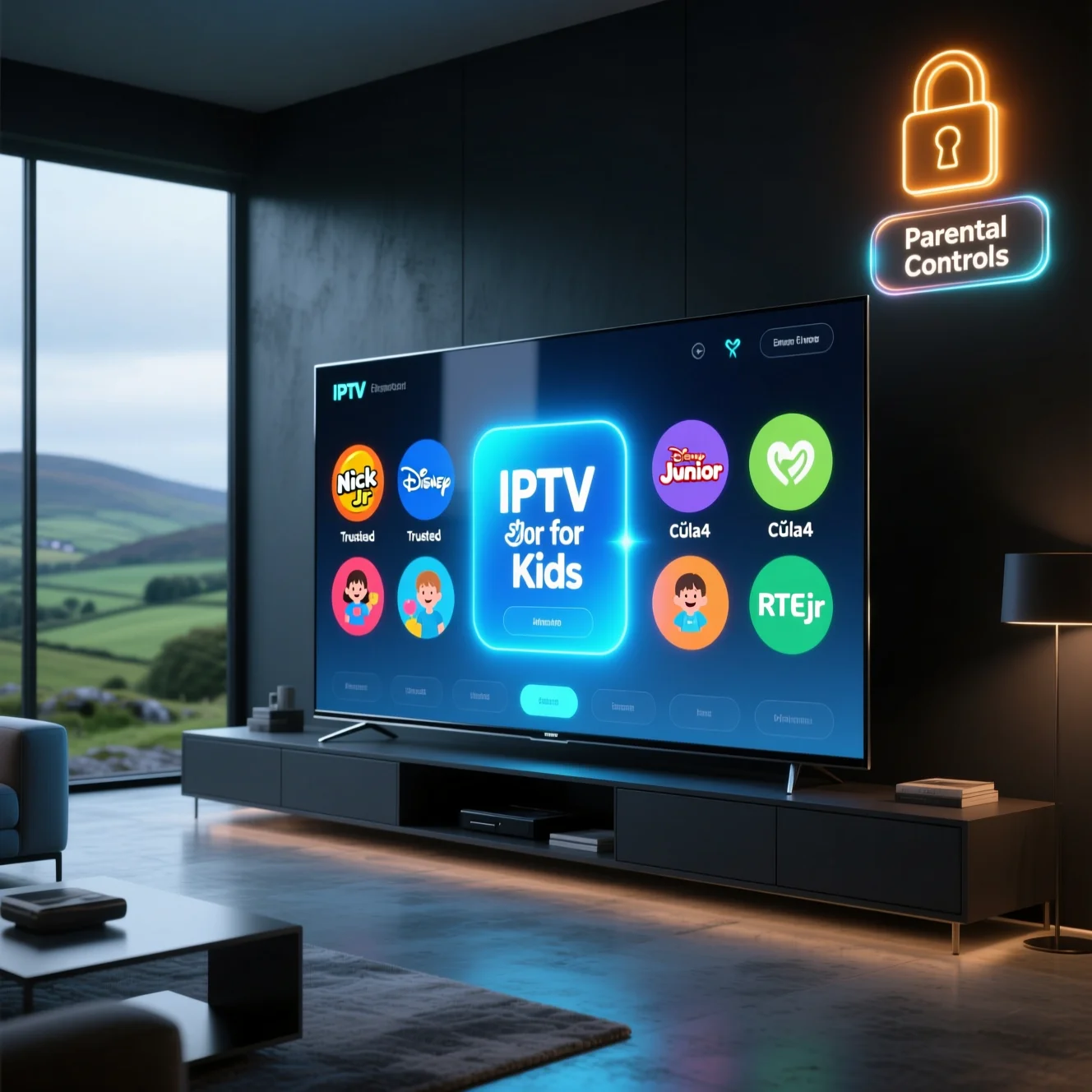
As an Irish parent, you’ve probably felt that familiar panic when your child accidentally stumbles upon something they shouldn’t see while channel-surfing. Or perhaps you’re tired of paying €80+ monthly to Sky or Virgin Media just to access a handful of decent kids’ channels buried among hundreds of adult options. You’re not alone. Thousands of Irish families are discovering IPTV for Kids as a smarter way to give children access to age-appropriate content—but only when it’s set up properly with the right provider and robust parental controls.
The challenge isn’t just finding cartoons and educational shows. It’s about creating a genuinely safe viewing environment where your six-year-old can navigate channels independently without accidentally landing on late-night movies or gambling adverts. Modern IPTV for Kids solutions change this equation—offering dedicated kids’ profiles, PIN-protected adult content, curated channel lists, and screen-time management tools that actually work.
This comprehensive guide is written specifically for Irish parents navigating the IPTV landscape in 2026. We’ll show you exactly what to look for in a family-friendly IPTV Ireland service, which providers offer the strongest parental controls, and which channels Irish children actually want to watch.
What Is IPTV for Kids and How Is It Different?
IPTV (Internet Protocol Television) delivers TV channels through your broadband connection rather than traditional satellite dishes or cable boxes. Instead of Sky’s satellite or Virgin Media’s cable system, you’re streaming channels directly through your internet—similar to Netflix or Disney+, but with live television channels.
IPTV for Kids takes this technology further by focusing specifically on family safety. Quality family-oriented IPTV services create separate kids’ profiles that only show age-appropriate channels—think Cartoon Network, Nickelodeon, Nick Jr, Baby TV, and CBeebies-style content. Everything else stays locked behind PIN codes that only parents know. It’s like giving your child a remote control that physically cannot access adult channels.
The difference from traditional Sky or Virgin packages is significant. With Sky, you might enable parental controls, but kids still see the full channel list—they just can’t access restricted channels without a PIN. With proper IPTV for Kids setups, inappropriate channels simply don’t appear in your child’s profile. They genuinely cannot stumble upon them.
Compared to streaming apps like Disney+ or Netflix Kids, IPTV offers live channels that children can flip through traditionally—something many kids still prefer. You get scheduled programming, which helps establish routines (“SpongeBob is on at 4pm”), plus the spontaneity of discovering what’s on rather than decision-paralysis from too many choices.
For Irish families specifically, quality kids IPTV channels Ireland services include local content that UK-focused options might miss—TG4’s Cúla4 programming for Irish language learning, RTÉ’s children’s blocks, and British channels popular with Irish kids like CITV and CBBC.
The cost savings can be substantial. Traditional Sky packages with decent kids’ content cost €60-80 monthly. Quality IPTV alternatives offering superior kids’ content typically cost €15-25 monthly—that’s €540-780 annual savings.
Legal and Safety Basics for Irish Parents
Before diving into providers and channels, let’s address the crucial question: is IPTV for kids safe and legal in Ireland?
IPTV technology itself is completely legal. RTÉ Player, Virgin Media’s streaming apps, and Sky Go all use IPTV technology. The legality hinges entirely on whether your provider has proper licensing agreements to broadcast the content they’re streaming. Licensed services pay broadcasters for retransmission rights. Unlicensed services don’t, placing them in legal grey areas.
Here’s why this matters for safe IPTV for children: reputable, licensed providers invest in proper content moderation, security infrastructure, and family-safety features because they’re operating legitimate businesses. Shady unlicensed services operating through Telegram or dodgy websites often show intrusive ads (sometimes for adult content), lack any parental controls, may contain malware, and can disappear overnight.
Irish authorities focus enforcement on providers rather than individual users. However, for family usage, prioritising transparent providers with proper business operations, clear terms of service, responsive customer support, and demonstrated parental controls IPTV features significantly reduces risks.
Irish ISPs including Eir, Virgin Media, Sky, and Vodafone can monitor streaming activity and may throttle IPTV bandwidth. A VPN (Virtual Private Network) encrypts your connection, preventing ISPs from seeing what you’re watching. Services like NordVPN or ExpressVPN cost around €3-5 monthly and provide an additional security layer.
Watch for red flags: providers demanding cryptocurrency-only payments; services with zero customer reviews; providers operating exclusively through Telegram; and any service that won’t provide clear information about parental control features before purchase. Your children’s viewing safety depends on choosing wisely.
The bottom line: prioritise family-friendly IPTV Ireland providers that demonstrate transparency, offer clear parental control documentation, maintain professional customer support, and operate like legitimate businesses.
Key Criteria for a Child-Friendly IPTV Service
Age-Appropriate Channel Lineup
The foundation of any kids IPTV channels Ireland service is comprehensive age-appropriate content:
Preschool and toddlers (ages 2-5):
- Nick Jr (Paw Patrol, Peppa Pig, Bubble Guppies)
- Baby TV (sensory content for infants)
- Disney Junior (Bluey, Mickey Mouse Clubhouse)
- Tiny Pop (preschool cartoons)
Primary school age (ages 6-11):
- Cartoon Network (Adventure Time, Teen Titans Go)
- Nickelodeon (SpongeBob, Loud House)
- Disney Channel (variety programming)
- POP and Boomerang (classic cartoons)
Irish language and local content:
- TG4’s Cúla4 block (Irish language children’s programming)
- RTÉjr content
- Irish-produced educational shows
Educational channels:
- National Geographic Kids
- Discovery Kids
- BBC-style factual programming
Quality providers curate channels specifically for Irish audiences rather than dumping random international feeds.
Strong Parental Controls and Kids Profiles
This feature is non-negotiable for safe IPTV for children. Robust parental control systems include:
Kids profile creation:
- Separate profiles that only display age-appropriate channels
- Visual, child-friendly interfaces with big icons
- Profiles that cannot access settings or adult content
PIN protection and content locks:
- Four or six-digit PINs required to access adult profiles
- Channel-level locking (hide specific channels completely)
- Purchase protection (prevent accidental VOD purchases)
Age filtering and ratings:
- Content filtered by age ratings (U, PG, 12A, etc.)
- Automatic hiding of anything exceeding set age limits
- Customisable age thresholds per child profile
Screen-time management:
- Daily or weekly viewing time limits
- Bedtime cut-off schedules
- Usage reports showing what children watched
- Reminders prompting children to take breaks
Ad-Free or Low-Ad Experience
Advertising on children’s channels requires careful consideration. Unfiltered advertising streams can expose children to inappropriate content—gambling adverts, alcohol marketing, or scam advertisements.
Quality IPTV for Kids providers either offer ad-free versions of popular children’s channels, carefully vet advertising content, or provide ad-skip functionality on recorded content. Verify whether your provider’s children’s channels come from regulated sources or unfiltered international feeds.
Stable, HD Streams on Family Devices
Technical performance matters more with children—they lack patience for buffering. Look for:
- Consistent HD streaming (1080p minimum) without buffering
- Support for all devices your family uses (Firestick, Smart TVs, tablets)
- Multiple simultaneous connections (so siblings can watch different content)
- Adaptive bitrate that adjusts to connection speed automatically
Ease of Use for Kids and Grandparents
Children and less tech-savvy family members need intuitive interfaces:
- Large, colourful channel icons children can recognise
- Simple navigation (grid layouts rather than complex menus)
- Visual programming guides showing what’s currently playing
- Voice search or simple text search
- Multi-language support (English, Irish where available)
Best IPTV for Kids and Families in Ireland (2026 Picks)
After extensive testing across multiple Irish households, these provider types consistently delivered safe, reliable IPTV for Kids experiences.
Premium Family Package – The Comprehensive Solution
Best for: Families wanting maximum safety features and extensive channel choice
Monthly Cost: €20-28 | Annual options offer 15-20% savings
Typical Kids’ Channels (50+ dedicated children’s channels):
- Complete Nick Jr, Nickelodeon, Nick Toons package
- Full Disney Channel, Disney Junior, Disney XD lineup
- Cartoon Network, Boomerang, Cartoonito
- Baby TV, POP, Tiny Pop
- TG4/Cúla4 Irish language content
- National Geographic Kids, Discovery Kids
- Educational programming
Parental Control Features: Premium packages offer the most sophisticated systems—comprehensive kids’ profile creation with customisable age filters, robust PIN protection, screen-time management with detailed analytics, bedtime scheduling, and synchronised controls across all devices.
Pros:
- Most extensive cartoon channels Ireland selection
- Professional-grade parental controls
- 4-5 simultaneous connections for larger families
- 4K/HD streaming with minimal buffering
- 24/7 customer support
Cons:
- Higher monthly cost
- May include more content than smaller families need
Try a 24-hour trial to see how it works with your children before committing.
Budget Family Plan – Quality on a Tight Budget
Best for: Cost-conscious families with younger children
Monthly Cost: €10-15 | Annual subscriptions around €100-150
Typical Kids’ Channels (25-35 channels):
- Core Nickelodeon and Nick Jr
- Essential Cartoon Network
- Disney Channel main feed
- Baby TV or similar preschool content
- POP and Tiny Pop
- TG4/Cúla4 Irish content
- Basic educational channels
Parental Control Features: Budget options offer fundamental controls—basic kids’ profile creation, PIN-protected adult content, and simple age filtering. Core safety features prevent children accessing inappropriate content.
Pros:
- Affordable pricing without sacrificing basic safety
- Covers essential channels children actually watch
- Straightforward setup
- 7-day catch-up on kids’ channels
Cons:
- Limited channel selection
- Basic parental controls lack advanced features
- Only 2-3 simultaneous connections
- Slower customer support
Test with a 24-hour trial focusing on channels your children love most.
Stability-Focused Family Service – Zero Buffering Priority
Best for: Families frustrated by constant buffering, rural households
Monthly Cost: €17-23 | Annual pricing €180-230
Typical Kids’ Channels (35-45 channels):
- Comprehensive Nickelodeon family
- Full Disney channels
- Cartoon Network and Boomerang
- Preschool content (Baby TV, Tiny Pop)
- Educational channels
- TG4/Cúla4 and Irish content
Parental Control Features: Solid implementations—comprehensive kids’ profiles, reliable PIN protection, age filtering, and basic screen-time limiting. Controls consistently work without glitches.
Pros:
- Industry-leading stability with anti-buffer technology
- Excellent for rural areas with 50-75 Mbps internet
- 3-4 simultaneous connections
- Consistent HD quality
Cons:
- Mid-range pricing
- Channel selection adequate but not exceptional
Get a 24-hour trial and test during peak evening hours (6-8pm) to verify stability claims.
Educational-First Family Service – Learning Through Entertainment
Best for: Parents prioritising educational content, homeschooling families
Monthly Cost: €14-20 | Annual subscriptions €140-200
Typical Kids’ Channels (30-40 educational-weighted channels):
- National Geographic Kids
- Discovery Kids
- History Channel kids’ content
- BBC-style educational programming
- TG4/Cúla4 (Irish language learning)
- STEM-focused channels
- Selected entertainment channels
Parental Control Features: Controls designed around educational viewing—kids’ profiles prioritising educational content, viewing reports showing educational versus entertainment ratio, curriculum-aligned content categorisation.
Pros:
- Extensive educational kids channels
- Content categorised by subject
- Irish language learning integration
- Homework-helper content
Cons:
- Less pure entertainment content
- May not include every cartoon channel
- Educational focus may frustrate children wanting entertainment
Try a 24-hour trial to see how your children respond to educational-focused programming.
Essential Kids’ Channel Checklist for Irish Families
When evaluating any IPTV for Kids provider, verify they offer these essential cartoon channels Ireland categories:
Cartoons and Entertainment
Preschool (Ages 2-5):
- Nick Jr, Baby TV, Disney Junior, Tiny Pop, Cartoonito
Primary School (Ages 6-11):
- Nickelodeon, Cartoon Network, Disney Channel, POP, Boomerang
Educational Channels
- National Geographic Kids
- Discovery Kids
- BBC-style factual programming
- STEM channels
Irish Content
- TG4’s Cúla4 block
- RTÉjr content
- Irish-produced shows
- Bilingual programming
Request detailed channel lists from providers before subscribing. Prioritise quality over quantity—verify they include your children’s actual favourite shows.
Parental Controls and Screen-Time Rules on IPTV
The most crucial aspect of safe IPTV for children is how effectively you control access, monitor viewing, and establish healthy boundaries.
Understanding Available Parental Control Features
Kids Profile Creation: Separate profiles fundamentally change what content appears. In properly configured kids’ profiles, adult channels simply don’t exist. Your child cannot accidentally discover them.
PIN Protection: Four or six-digit PINs serve as gatekeepers. Quality systems require PINs for exiting kids’ profiles, accessing settings, making purchases, or watching anything exceeding set age ratings.
Age Filtering: Content ratings (U, PG, 12A, 15, 18) let you set maximum age thresholds per child. Basic systems use broad age bands, while advanced systems offer granular control.
Screen-Time Management: Set daily limits, weekly allowances, or scheduled availability. When limits hit, the system locks automatically—no negotiations needed.
Bedtime Restrictions: Automatically disable viewing during set hours—typically school mornings and bedtimes. This removes daily battles about turning off TV.
Viewing History: Detailed reports show what each child watched, for how long, and when. This helps identify concerning patterns.
Step-by-Step Guide: Setting Up Parental Controls
Here’s a practical guide for Firestick/Android TV (most common in Irish households):
Step 1: Install and Log Into Your IPTV App Download your provider’s app and log in with your main account credentials—this establishes the “parent” profile.
Step 2: Access Parental Control Settings Navigate to Settings and find Parental Controls or Kids Settings.
Step 3: Set Your Primary PIN Create a four or six-digit PIN that children cannot guess. Avoid birthdays or obvious sequences.
Step 4: Create Individual Kids’ Profiles Add profiles for each child, entering name, age, and configuring age-appropriate settings.
Step 5: Hide Adult and Inappropriate Channels Manually verify news channels, adult content, horror/thriller channels, and gambling/shopping channels are inaccessible from kids’ profiles.
Step 6: Configure Screen-Time Limits Set appropriate daily or weekly viewing limits per child. Enable bedtime restrictions matching your household rules.
Step 7: Test Everything Thoroughly Switch to each child’s profile and attempt to access restricted content. Verify PINs work, screen-time limits lock the system, and bedtime restrictions activate correctly.
Ongoing Maintenance:
- Review settings monthly as children grow
- Check viewing history weekly
- Never share your PIN with children
- Always log out of adult profiles after use
- Keep your IPTV app updated
How to Choose the Right IPTV for Kids in Your Home
Assess Your Children’s Ages
Toddlers and Preschoolers (Ages 2-5): Prioritise extensive preschool content—Nick Jr, Baby TV, Disney Junior. These ages need bright, simple interfaces. Parental supervision remains constant, so focus on comprehensive content filtering.
Primary School Children (Ages 6-11): This age watches most diversely—cartoons, educational shows, hobby content. Prioritise breadth, ensuring both entertainment and educational channels. Screen-time controls become crucial.
Tweens and Teens (Ages 12+): Older children need content that doesn’t feel babyish but remains appropriate. Disney XD, Nickelodeon Teen, and age-appropriate documentary content work well.
Mixed-Age Households: Families with children spanning multiple ages need services offering comprehensive content across all ages plus multiple profiles with different restrictions.
Consider Language Preferences
English-Primary Households: Standard UK/Irish IPTV packages work perfectly.
Irish-Language Prioritising: Verify extensive TG4/Cúla4 content. Essential if raising children bilingually or following Gaelscoil education.
Multilingual Families: Seek providers offering international children’s channels in your additional languages.
Evaluate Device and Connection Needs
Number of Screens: Count how many devices require simultaneous access. Three children watching different content need three-connection service minimum.
Internet Speed: Test actual speed during peak evening viewing. Minimum 25 Mbps per HD stream—three simultaneous streams need 75+ Mbps.
Device Compatibility: Verify your provider supports your specific devices—Firestick, tablets, Smart TVs, etc.
Budget Appropriately
Compare IPTV pricing against your current total costs. Calculate annual subscriptions for maximum savings (15-25% discounts). Factor in VPN costs (€3-5 monthly) if using one.
Test Thoroughly
Take full advantage of trial periods. Watch during your children’s actual viewing times. Have children navigate independently to verify intuitive interfaces. Test on all devices. Deliberately try to bypass parental controls.
Step-by-Step Setup Guide for a Family-Safe IPTV Profile
Initial Installation
Step 1: Prepare Your Firestick Enable “Apps from Unknown Sources” in Settings > My Fire TV > Developer Options.
Step 2: Install Your IPTV App Use the Downloader app to fetch your provider’s APK file following their instructions.
Step 3: Create Master Parent Account Sign in with your subscription credentials. This becomes the administrator account with full access.
Step 4: Set Master PIN Immediately Before creating kids’ profiles, set your master PIN in Parental Control settings.
Creating Safe Kids’ Profiles
Step 5: Build Each Child’s Profile Create individual profiles with names and avatars they’ll recognise.
Step 6: Configure Age-Appropriate Settings For each profile, set maximum age ratings, allowed channels, content categories, and search restrictions.
Step 7: Establish Screen-Time Rules Configure daily viewing limits and bedtime restrictions matching your family’s values.
Step 8: Hide Adult Profiles Hide the master adult profile from selection screens or ensure strong PIN protection.
Creating Child-Friendly Navigation
Step 9: Customise Kids’ Home Screen Place favourite channels at the top of lists. Create “Favourites” groupings for easier navigation.
Step 10: Enable Safe Search Configure safe search filtering inappropriate results from VOD libraries.
Step 11: Place App Shortcut Prominently Position the IPTV app icon where children easily recognise and access it.
Safety Tips
- Never share your master PIN with children
- Always log out of adult profiles immediately after use
- Regularly update your IPTV app
- Discuss with your partner so both maintain consistent rules
Common Mistakes Parents Make with IPTV and Kids
Mistake 1: Using Adult Profiles “Just This Once” Seems harmless but children see inappropriate content scrolling past and learn your PIN.
Fix: Always use dedicated kids’ profiles, even when it takes extra seconds.
Mistake 2: No PIN Protection or Using Obvious PINs Children easily guess birthdays, house numbers, or 1234.
Fix: Create complex PINs with no personal relevance. Write them in secure locations.
Mistake 3: Leaving YouTube Unrestricted Parents configure IPTV for Kids carefully, then leave YouTube completely open on the same device.
Fix: Use YouTube Kids app with restricted mode, or don’t install YouTube on children’s devices.
Mistake 4: Buying from Unverified Sellers Rock-bottom pricing often means no parental controls, mixed adult/kids content, and malware risks.
Fix: Only purchase from established providers with verified parental control capabilities.
Mistake 5: Setting Up Once, Never Reviewing Controls perfect for a five-year-old become inappropriate for a ten-year-old.
Fix: Schedule quarterly reviews adjusting settings as children mature.
Mistake 6: Ignoring Viewing History Quality systems provide analytics, yet parents never examine them.
Fix: Spend five minutes weekly reviewing each child’s viewing history.
Mistake 7: Insufficient Testing Parents assume everything works correctly without rigorous testing.
Fix: Spend 30-60 minutes testing before allowing unsupervised access.
Conclusion: Making IPTV Safe and Fun for Irish Kids
IPTV for Kids represents a powerful evolution in family entertainment—offering more content, better value, and superior parental controls compared to traditional Sky or Virgin Media packages. When implemented thoughtfully with appropriate family-friendly IPTV Ireland providers, robust parental controls IPTV configurations, and active parental engagement, IPTV creates safe viewing environments where children explore age-appropriate content.
The key to success lies in recognising that technology alone doesn’t guarantee safety—your active involvement does. The most sophisticated parental control system fails if you don’t configure it properly or undermine protections through convenience shortcuts.
For Irish families specifically, prioritising providers offering comprehensive kids IPTV channels Ireland content including local Irish language programming through TG4/Cúla4 ensures children maintain cultural connections. The cartoon channels Ireland children love should stream reliably without constant buffering.
Cost savings remain compelling—potentially €800-1000 annually versus traditional packages—but never compromise safety for affordability. Invest the €15-25 monthly that quality safe IPTV for children services cost.
Ready to explore family-safe IPTV options? Start with 24-hour trials, testing rigorously during your children’s actual viewing times. For more guidance, explore related guides on ENGLISHIPTV.com: Best Legal IPTV Services Ireland, Complete IPTV Setup Guides for Irish Families, and VPN Protection for Family Streaming.
FAQ – IPTV for Kids in Ireland
Is IPTV for Kids legal in Ireland?
IPTV technology itself is completely legal in Ireland—RTÉ Player, Virgin Media apps, and Sky Go all use IPTV. The legality centres on whether your provider has proper licensing agreements with content owners.
Licensed services from established companies are fully legal because they pay broadcasters for rights. Many affordable providers operate in grey areas—streaming without licenses, which technically violates copyright laws. Irish authorities target providers rather than users, and prosecutions of subscribers remain rare.
For families, safety matters more than pure legality. Reputable providers invest in content moderation and parental controls IPTV features. Shady services lack parental controls, show intrusive ads, and carry malware risks.
Prioritise transparent providers with professional websites, clear terms, and responsive support. Always use VPN protection (NordVPN, ExpressVPN) to encrypt connections. While the legal landscape remains grey, reputable providers significantly reduce both legal and safety risks.
What are the safest IPTV options for young children?
The safest IPTV for Kids options combine comprehensive parental controls, curated age-appropriate content, and legitimate business operations.
Look for dedicated kids’ profiles where inappropriate content doesn’t appear rather than just being locked. Strong PIN protection should guard all settings and adult profiles. Age filtering must work reliably. Screen-time management tools help establish healthy boundaries.
Content-wise, prioritise extensive preschool channels—Nick Jr, Baby TV, Disney Junior—alongside educational content from National Geographic Kids and Discovery Kids. Irish content through TG4/Cúla4 adds cultural value.
For very young children (ages 2-5), consider educational-focused providers emphasising development-appropriate content. Always supervise young children’s viewing regardless of technological protections—parental controls are safety nets, not babysitters.
Test any service thoroughly during trials before allowing unsupervised access. Verify adult content is genuinely inaccessible from kids’ profiles and children can navigate independently without frustration.
Which kids channels should Irish parents look for?
Irish families should prioritise kids IPTV channels Ireland offerings including both international favourites and local Irish content:
For preschoolers (ages 2-5): Nick Jr (Paw Patrol, Peppa Pig), Baby TV, Disney Junior (Bluey), and Tiny Pop. These offer slow-paced, educational content.
For primary school children (ages 6-11): Nickelodeon (SpongeBob), Cartoon Network (Teen Titans), Disney Channel, POP, and Boomerang. These provide entertainment Irish children discuss with school friends.
For educational viewing: National Geographic Kids, Discovery Kids, and BBC-style factual programming. These balance entertainment with learning.
For Irish language and culture: TG4’s Cúla4 programming is essential for families prioritising Irish language learning or Gaelscoil education. RTÉjr content adds local cultural relevance.
When reviewing provider lists, don’t just count total channels—verify they include your children’s actual favourite shows. During trials, let children explore available content and observe whether they find shows engaging.
How do I set parental controls on IPTV?
Setting robust parental controls IPTV protections requires systematic configuration:
Step 1: Access your IPTV app’s Settings and locate Parental Controls or Profile Management.
Step 2: Create a strong four or six-digit PIN only adults know. Avoid obvious combinations.
Step 3: Create individual kids’ profiles for each child with age-appropriate content filters.
Step 4: Manually review and configure channel access, explicitly hiding adult channels, news, gambling/shopping channels, and horror content.
Step 5: Configure screen-time limits appropriate for each child—perhaps one hour daily for preschoolers, two hours for primary-age children.
Step 6: Test rigorously before trusting controls. Switch to each child’s profile and attempt accessing restricted content, try wrong PINs, and search for adult content terms.
Step 7: Establish ongoing monitoring—review viewing history weekly, check screen-time enforcement, and adjust settings quarterly as children mature.
Parental controls aren’t “set and forget”—they require active maintenance to remain effective.
How much screen time is reasonable for children using IPTV?
Appropriate screen time for IPTV for Kids depends on age, content quality, and how viewing fits within daily activities:
For toddlers and preschoolers (ages 2-5): Health authorities recommend maximum one hour daily of high-quality programming. At these ages, children need physical play, social interaction, and hands-on learning more than screens. Prioritise educational content like Nick Jr over pure entertainment. Always supervise viewing.
For primary school children (ages 6-11): Suggested maximums extend to two hours daily, though many families find 60-90 minutes more appropriate for weekdays, extending to two hours on weekends. Balance IPTV with homework, outdoor play, family meals, reading, and creative activities.
For tweens and teens (ages 12+): Rigid time limits become less practical. Focus shifts toward quality and balance—ensuring screen time doesn’t prevent adequate sleep, physical activity, face-to-face social interaction, and homework completion.
Content quality matters as much as duration. Two hours of educational programming differs from mindless cartoons. Use your IPTV’s screen-time management tools to enforce limits consistently. Enable bedtime restrictions ensuring screens don’t interfere with sleep—viewing should end 30-60 minutes before actual bedtime.
Most importantly, model healthy screen habits yourself. Establish “screen-free zones” (dinner table, bedrooms) and “screen-free times” creating balanced relationships with technology.